.png)

.png)
As begin my research, I asked myself who will be the one using this product? Since the employees are the end users, I decided to interview 2 new grad employees. I wanted to understand what they were feeling and problems they were facing as they transition into their new remote role.
Questions I asked:
Here is what I heard:
Based on the responses from Lena and Steve, I drew out several key insights:
After completing my initial user research, I crafted a set of design guidelines for my initial design. The primary objective was to create an interface that proficiently emulates spontaneous in-person interactions.
After understanding the problem and my users, I started to sketch out my ideas of possible concepts would achieve my design goals. Even the wildest ones. Throughout my brainstorming process, I made an effort to envision what it feels like to network and “bump” into people in real life.
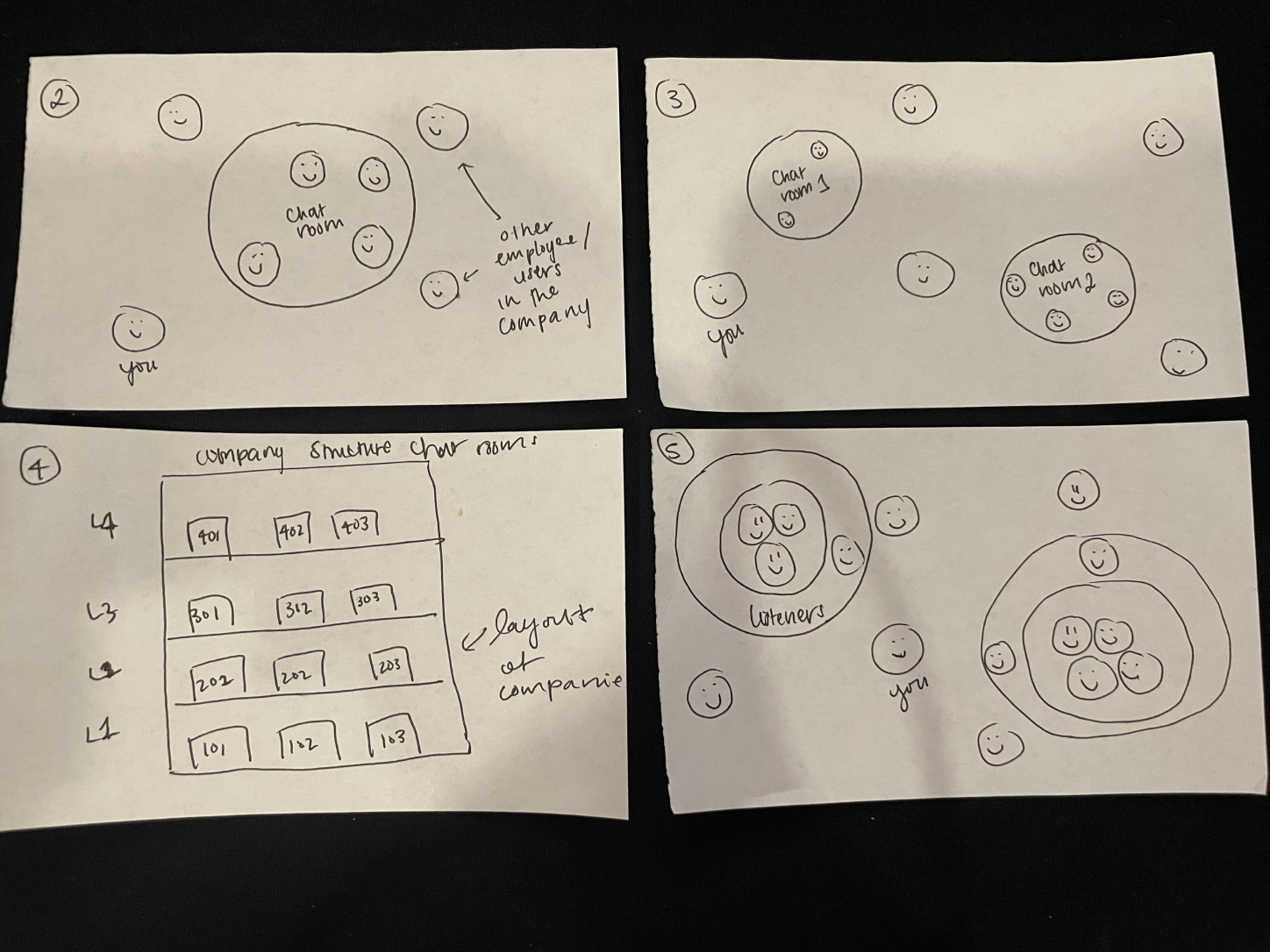
Next, I developed distinct low-fidelity wireframes for my main feature. One iteration maintains the anonymity of the conference room until you enter, while the other provides a view of all participants, indicating who is listening or speaking in each conference room.
By leveraging my key findings from user research of being able to gain professional visibility, I chose to move forward with the public version as it promotes each users presence in the space.
.png)
Note:
Due to the short turn around of this project I wasn't able to conduct a usability testing. If I had more time, I would conduct usability testings on 4-5 entry or new grad remote employees to test these different variations in order to make data driven decision.
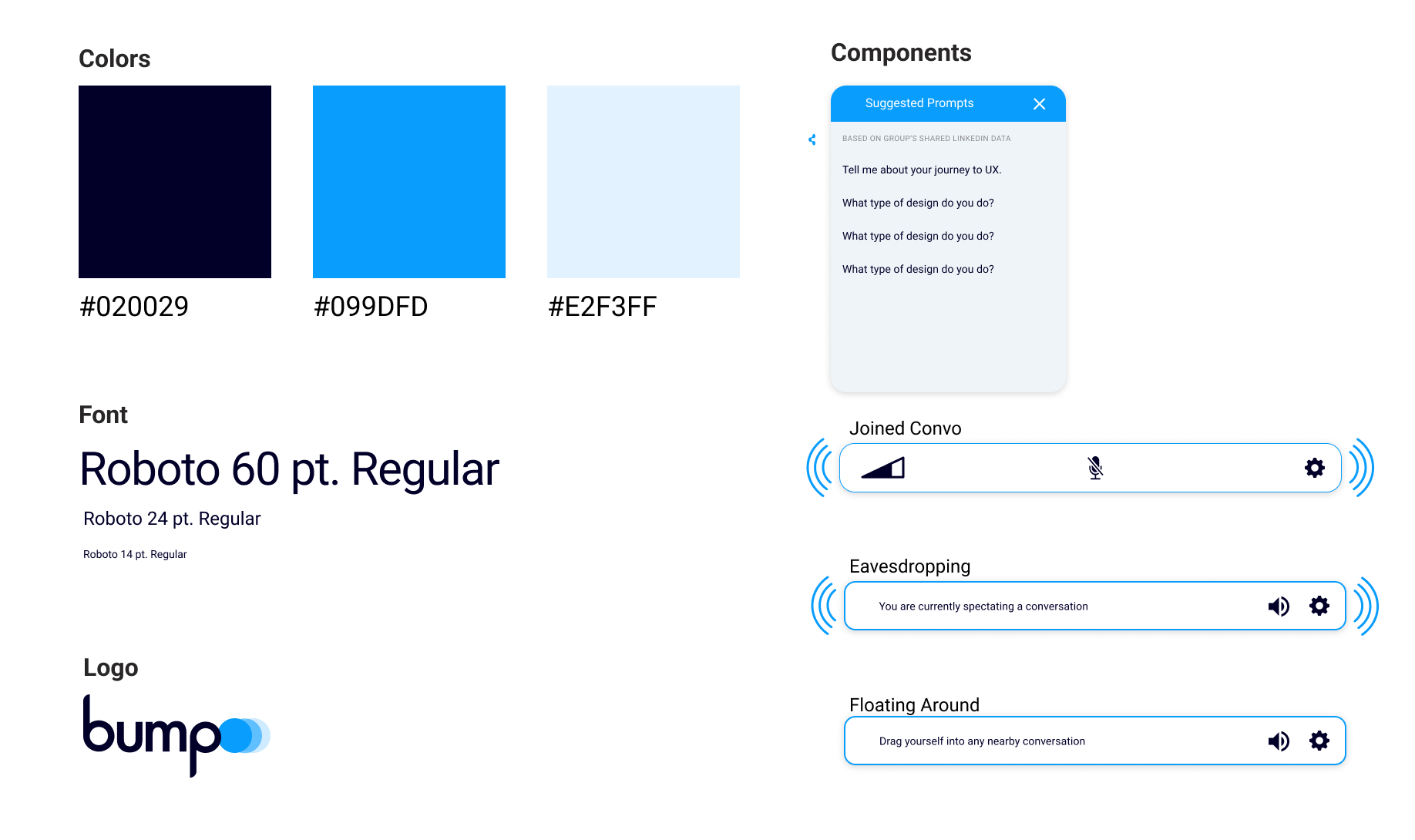
In the design process, I examined Agora's design guidelines and adhered to their prescribed color palette. Additionally, I ensured seamless compatibility by incorporating a font that aligns with their specifications into my design. This approach ensured a cohesive and harmonious visual identity for the project.
In order to work more efficiently and have a clear idea of my product, I created a user flow.
.png)
.png)
.png)
-poster-00001.jpg)
Check out my interactive prototype below!
I won first place in the Enterprise Track for Design! Woohooo! :D
Overall, this project was a rewarding experience! It was my first time participating in a protothon solo, and while it did get quite stressful at times, moments like these underscored the value of a collaborative environment. In the tight time frame, I had to efficiently decide which design features to prioritize, showcasing my proficiency in time management and focus on core functionalities for a functional prototype.
What went well:
Opportunities for improvement: